I've Forgotten my Password/My Password Isn't Working
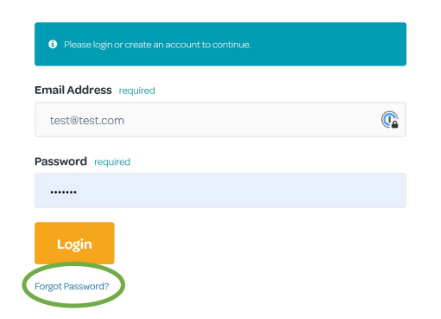
- On the Login screen, select Forgot Password?:
- On the next screen, enter your Email Address and press Recover Password
- You will receive an email within 5 minutes:
Hi Name
A password reset request has been received for https://portal.rhythmtime.franscape.io, please click the link below to continue and a new password will be emailed to you.
https://portal.rhythmtime.franscape.io/reset-password/LMOuFp6vbl8T1VFnbDd9jCbpIEtv
If prompted, please enter the password reset token:
Fp6vZbl8T1VFnbDdH9jCGbpI
This token is valid for 24 hours, if this action was not taken by you, please ignore this email.
Kind regards,
- Following the instructions in the email, click on the long link
Please Note: the link is valid for only 24 hours
- This will take you to the Password Rest Page:
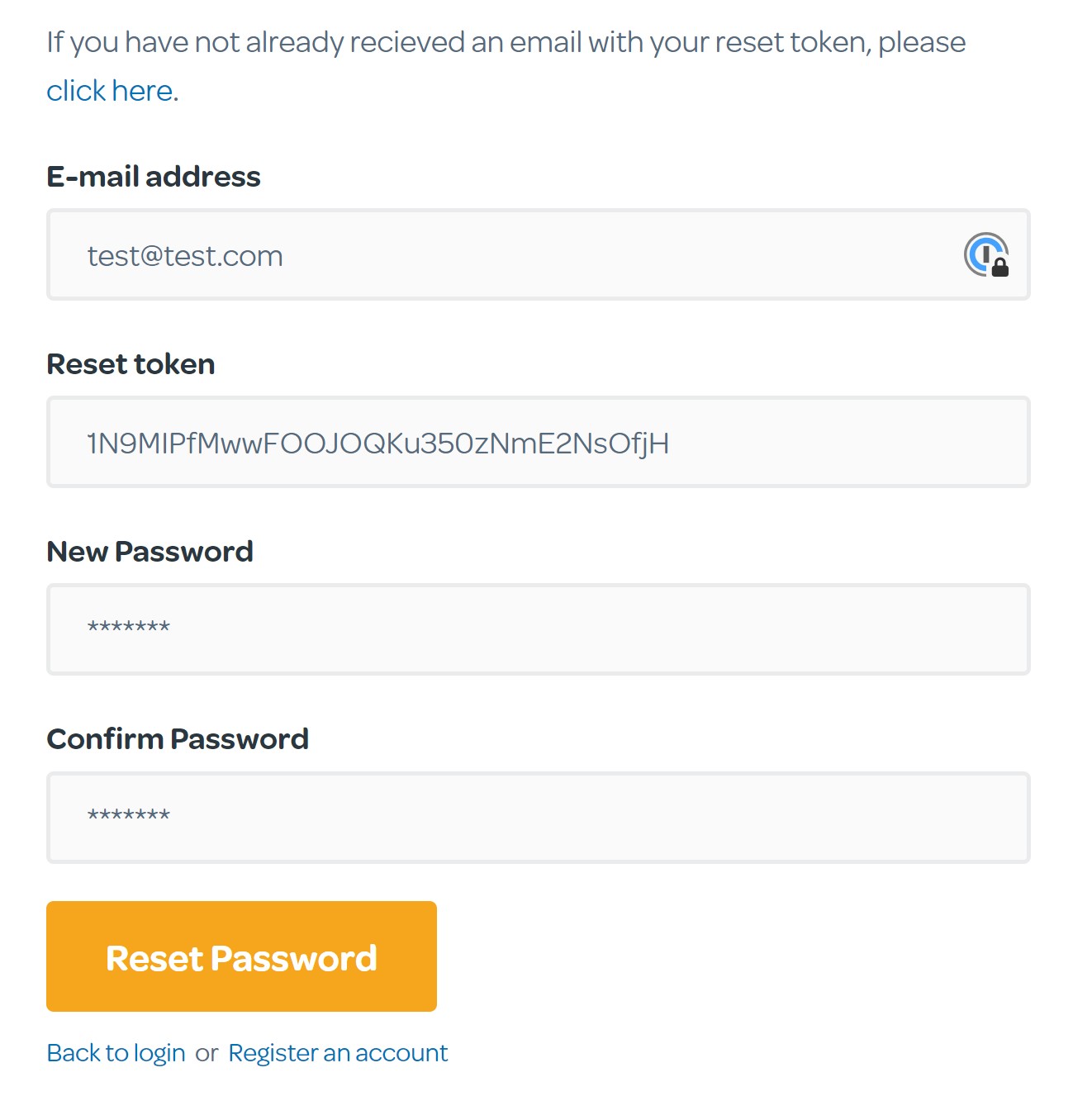
- Enter your Email Address
- The Reset Token should already be present. If it isn't, copy and paste it from the email you received
- Enter your New Password
- Confirm your New Password
- Click Reset Password
Once your password has successfully been reset, select Back to Login and log in with your new password.
Please Note: You password should be at least 8 characters long and contain at least 1 Capital Letter, 1 Number and 1 Special Character (such as $@!_)